How to View Property Listings and Guide to Real Estate Agency Partners
When viewing key summary listings , check the registrant type, compare it with actual transaction prices for properties of the same size , and verify the ownership rights using the Certified Copy of the Land Register before signing a contract. General members can register listings through the Listing Menu, while real estate agencies can register by signing up as a Partner.
Listings on Home Insight are registered by general members and real estate agencies. This is a guide for viewers and real estate agencies wishing to register as partners. How general members can directly upload their own homes is explained separately in "How to Directly Register Your Own Home Listing ."
View listing information
In the Property Info section , you can view approved and posted listings for sale and rent by region. Property pins are also displayed on the map for buildings with listings.
You can check who posted the listing—an individual, a real estate agency, or a presales agency—in the "Registered by" section of the property details. Listings by general members are made public after undergoing administrator review. However, please note that this review process does not guarantee ownership or transaction terms, so it is essential to verify the details yourself before signing a contract.
Things to check when viewing listings
- Compare with Actual Transaction Prices — Check the complex details to see how much higher it is compared to recent actual transaction prices for the same complex and same floor plan.
- Registrant Information — For listings from real estate agencies, please conduct transactions with a registered real estate agent. For private listings, verify the identity of the owner using an ID and a copy of the land registry.
- Certified Copy of Land Register — Be sure to check the owner and any rights such as mortgages or provisional attachments before signing a contract.
- If it is a Jeonse — check the ratio of Jeonse price to sale price (Jeonse ratio) and senior liens together. The Jeonse ratio was explained in "7 Indicators to Check When Choosing a Neighborhood ."
If you find a fake listing
If you find a listing that has already been sold or differs from the actual property, please report it using the report function in the listing details. Once two reports accumulate, the listing will be automatically hidden until an administrator verifies it.
Register as a Real Estate Agency Partner
Real estate agencies can register properties on Home Insight by signing up as partners.
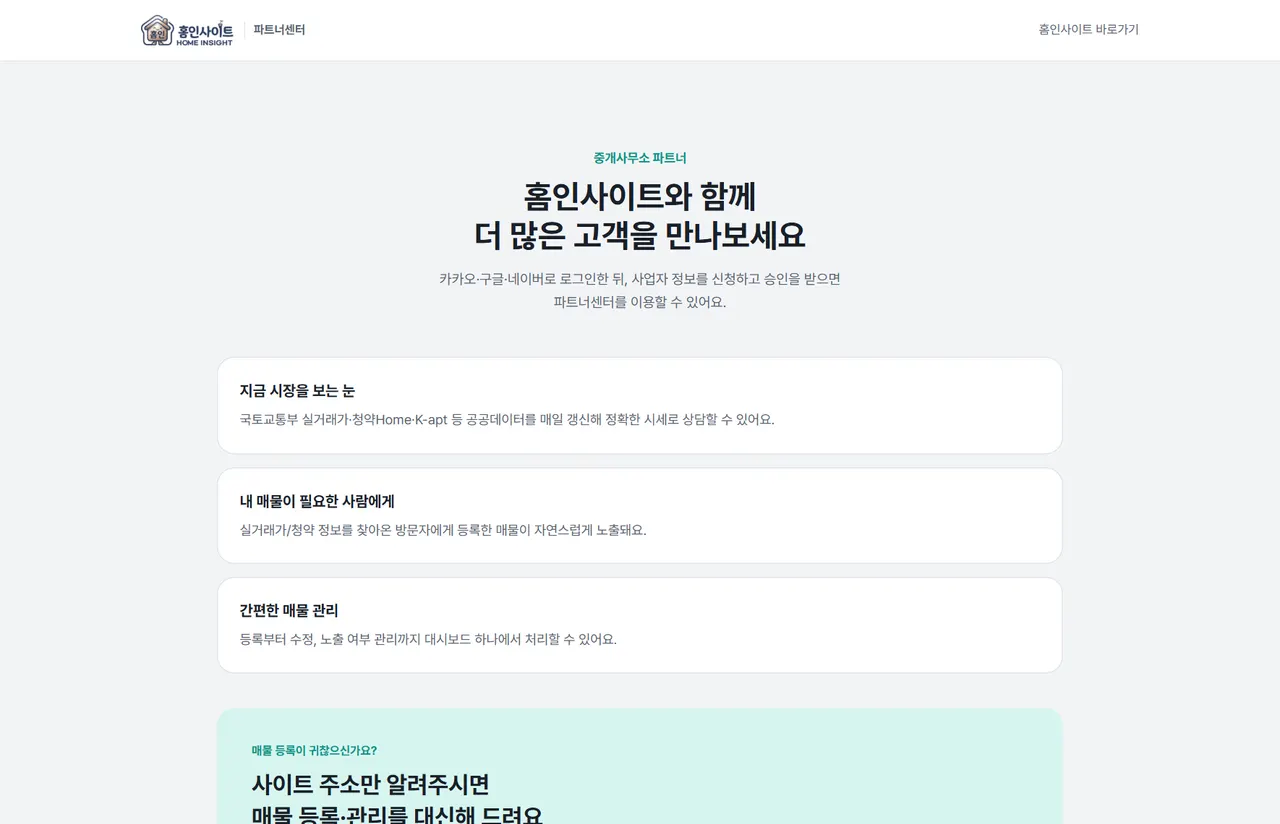
- Click "Business Membership Registration Guide " at the top right of the PC screen. On mobile, you can access it from the guide card within the menu.
- Log in with one of Kakao, Google, or Naver.
- Apply for membership by entering the business name, business registration number, and real estate agent registration number.
- An administrator will review and approve it. It takes 1 to 2 business days.
- Once approved, you can register and manage listings in the Partner Center.
Registered listings are displayed on both the map and the property information screen.
Frequently Asked Questions
Are all Home Insight listings verified?
Listings by general members undergo administrator review, but this does not guarantee ownership or transaction terms. It is essential to check the Certificate of Registration and verify the site before signing a contract.
I can't see any listings.
Only the number of listings uploaded by the registrant is displayed. Depending on the region, there may be no listings currently posted. In such cases, please refer to the actual transaction prices and the complex information on the map.
How long does partner approval take?
It takes 1 to 2 business days after application.